

Client Settings
Updated
The Clients tab under Settings holds account-wide settings that control how NetBird clients behave. Changing these settings requires a role with permission to update settings, such as Owner or Admin. Roles with read-only access to settings can view the tab, but the controls are disabled.
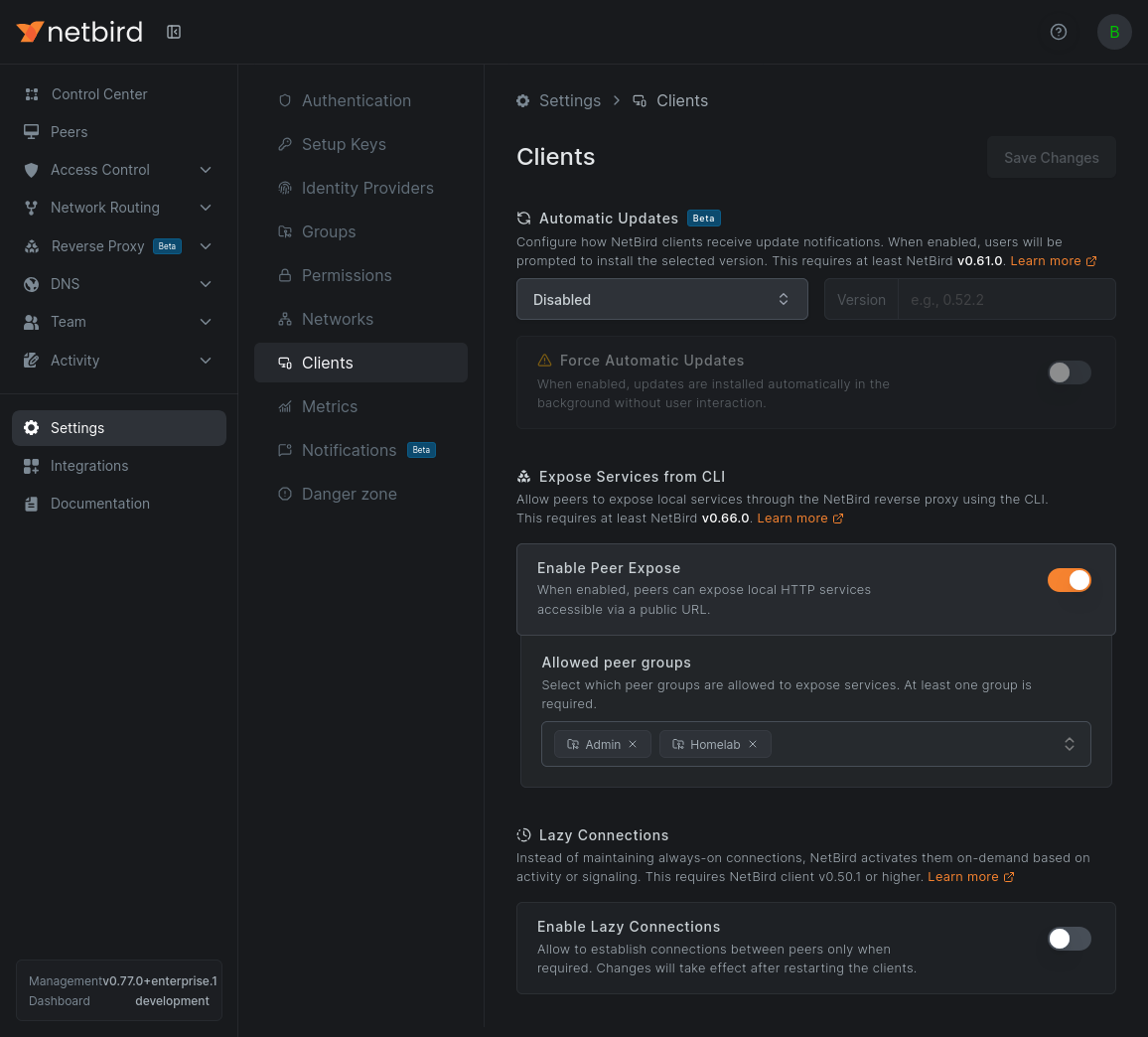
Automatic Updates
Choose an update method for your clients: keep them on the latest stable release, pin them to a specific version, or disable updates. The Force Automatic Updates toggle installs updates in the background without user interaction.
See Client Automatic Updates for the full behavior, platform support, and version requirements.
Expose Services from CLI
The Enable Peer Expose toggle allows peers to expose local HTTP services through the NetBird reverse proxy using the netbird expose command. This requires NetBird v0.66.0 or later.
When enabled, you must select at least one peer group under Allowed peer groups. Only peers in the selected groups can expose services.
See Expose Services from the CLI for command usage and examples.
Lazy Connections
Instead of maintaining always-on connections, NetBird can activate peer connections on demand based on activity or signaling. Enable the Enable Lazy Connections toggle to turn this on for compatible clients. This requires NetBird client v0.50.1 or higher.
See Lazy Connections for how activation works, inactivity thresholds, and per-client overrides.
Unique Peer Hostnames
Two machines in one account can register with the same hostname, for example similar VMs that a provisioning tool all named laptop. By default both register, and each gets its own DNS name: the peer that registers first gets laptop.netbird.cloud, and the second gets the last two octets of its NetBird IP added, so with the IP 100.64.12.7 it becomes laptop-12-7.netbird.cloud. The suffix goes on the DNS name only; both peers still show as laptop in the dashboard. If you rename a peer to laptop while another peer has laptop.netbird.cloud, the renamed peer also gets a suffix. By default, ephemeral peers get the suffix even when no other peer uses their hostname.
The suffix gives each peer its own DNS name, but it also hides that two machines share a hostname. If you want such a registration to fail loudly instead, enable the Reject Hostname Collisions toggle under Unique Peer Hostnames in the Clients tab of Settings. The setting applies to the whole account and is off by default.
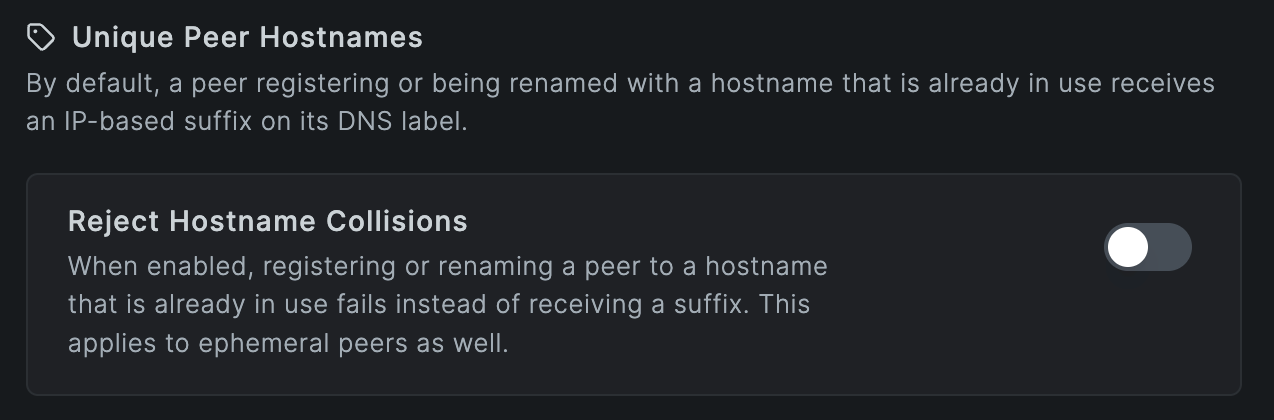
Whether the toggle is on or off, two hostnames collide when they produce the same DNS name. To build the DNS name, NetBird takes the part of the hostname before the first dot, lowercases it, and replaces each run of characters that are not valid in DNS with a single - (non-ASCII characters are first converted to punycode). So Laptop and laptop collide, so do my_laptop and my-laptop, and so do web.prod and web.staging, which both become web.
With the toggle on:
- No new peer gets a suffix, ephemeral peers included. A peer whose DNS name is free registers with it; a peer whose DNS name another peer in the account already has fails to register, and no peer is created, so nothing appears in the peer list. The client reports
peer with hostname "laptop" is already registered, stops retrying, and stays disconnected until someone runsnetbird upon that machine again: either with a hostname whose DNS name is free (netbird up --hostname <name>), or after deleting the peer that holds the name. - Renaming a peer in the dashboard or through the API to a name whose DNS name another peer already has fails with the same error.
Enabling the toggle does not touch existing peers: DNS names that already carry a suffix keep it, and a registered peer is not checked for collisions when it logs in again, even if it now reports a hostname whose DNS name another peer has; it keeps the DNS name it already had. The toggle only blocks DNS names that are already taken, so a peer that already has a suffixed name, such as laptop-12-7, doesn't block a new laptop.
Deleting a peer frees its DNS name but does not change the others: if you delete the laptop that holds laptop.netbird.cloud, the other one keeps laptop-12-7.netbird.cloud. To give it the plain name, rename it to another name and then back to laptop; saving the same name does not change its DNS name.
Keep the toggle off if your fleet registers machines with identical hostnames on purpose, such as autoscaled VMs or containers that join through a setup key. The default suffix exists for that case, and with the toggle on every such machine after the first fails to join.
This setting is available on NetBird Cloud and on self-hosted management servers running v0.81.0 or later. In the API it is the peer_hostname_collision_rejected field of the account settings.
Agent Network-focused view
Accounts using Agent Network see an additional Agent Network focused view toggle. When enabled, the dashboard shows only the Agent Network-related sections and hides parts that are not relevant for it, such as Networks, DNS, and Reverse Proxy. Disable it to bring back the full dashboard.